Software — mbseq
MBLT Sequencer
A test station: sequences in Python, an IDE with a real debugger, and a verdict per unit.
Available 1.0.4
mbseq — command line and desktop app
What it does
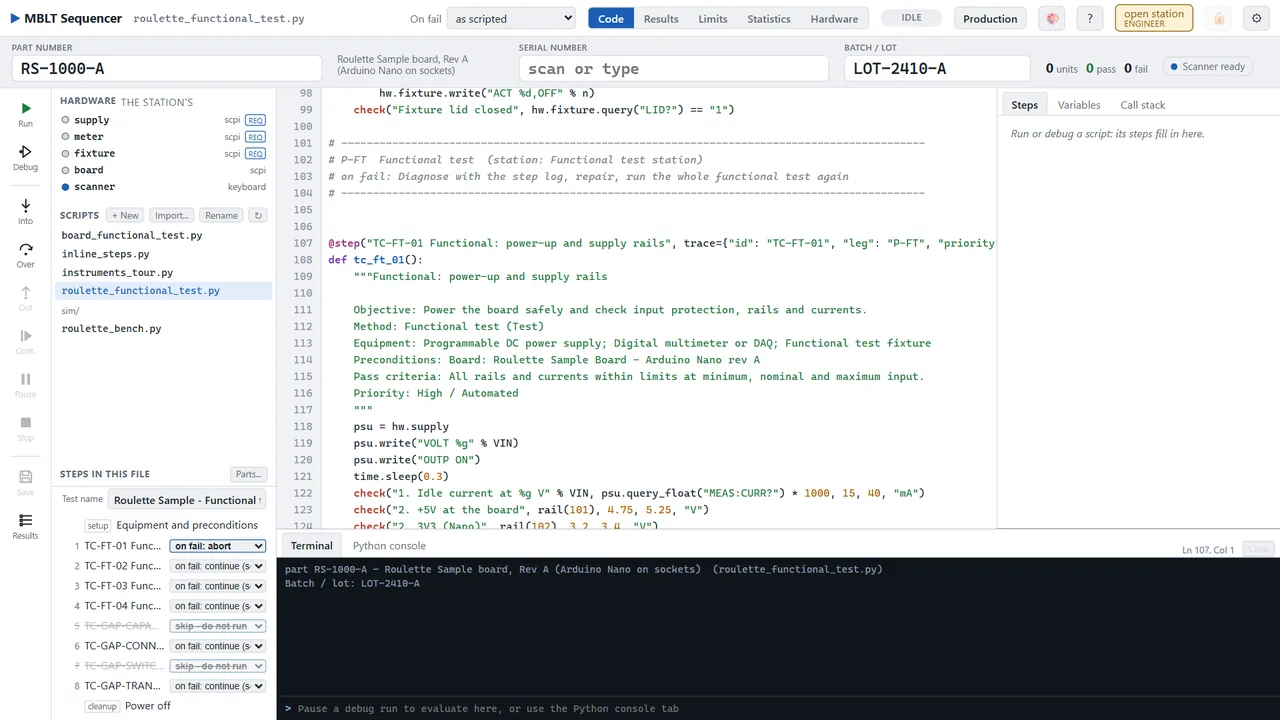
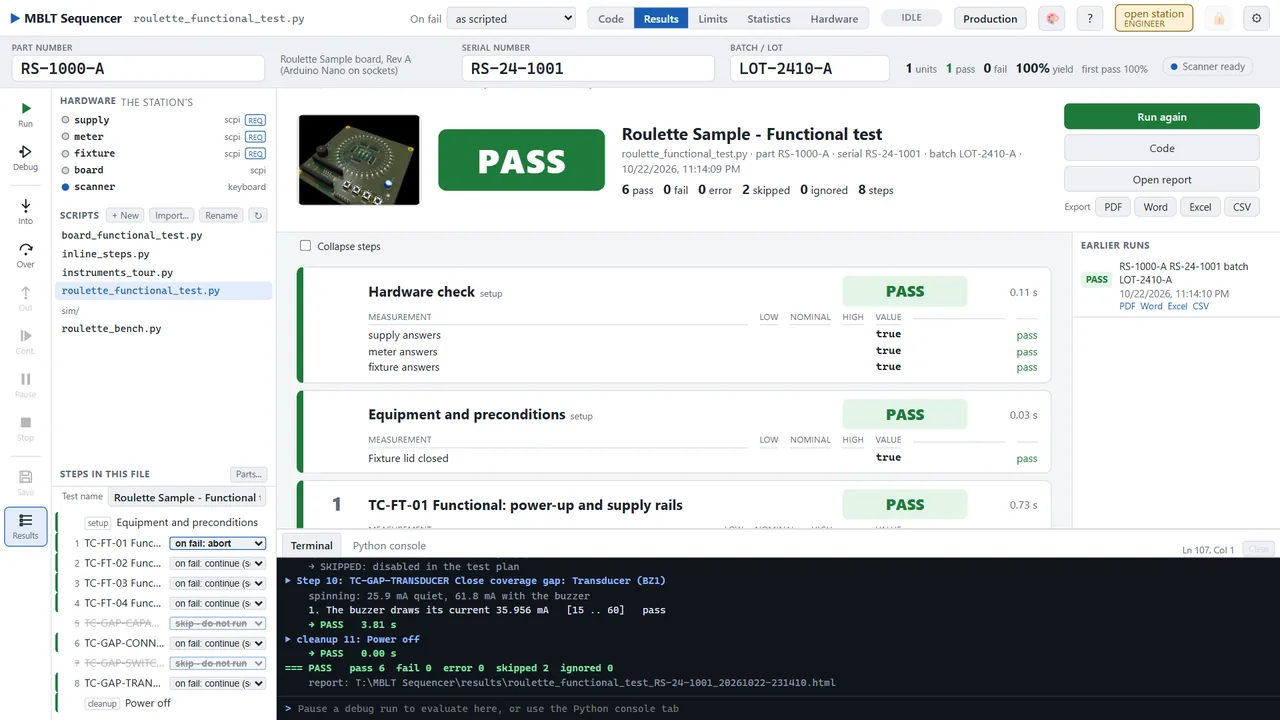
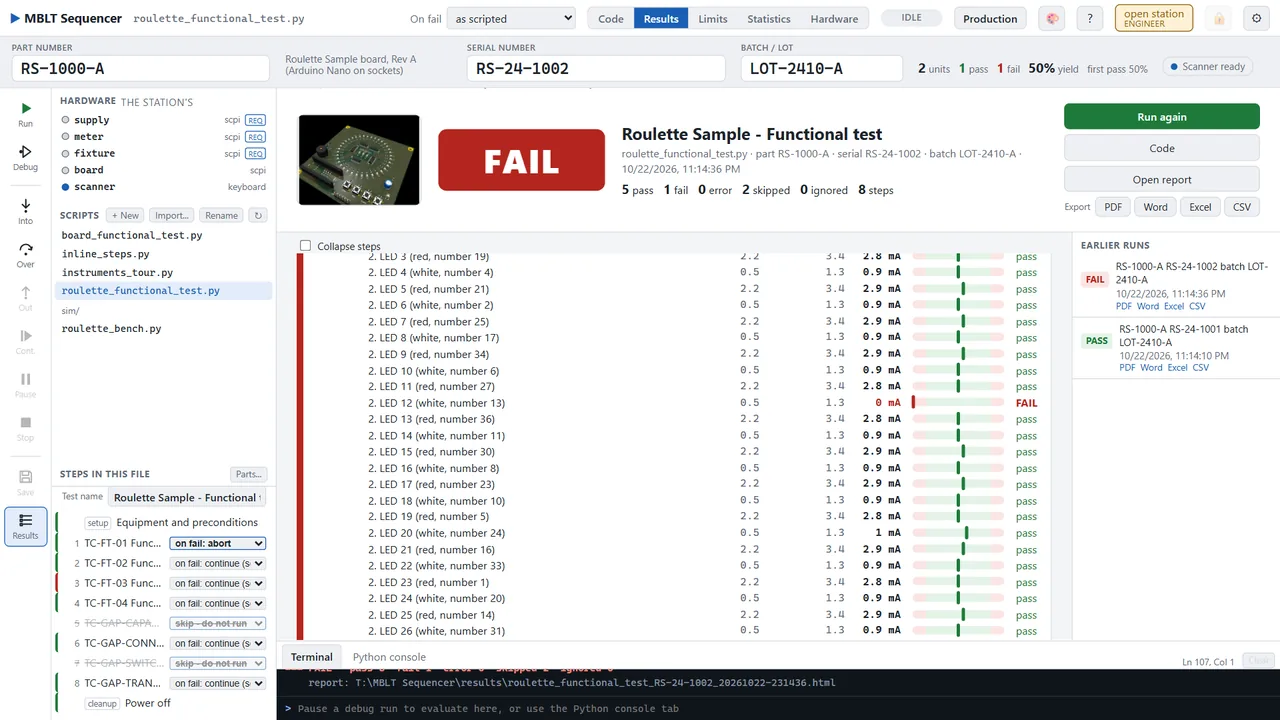
Write the test as Python steps with limits, step through them with a debugger, then run them on the bench. Each step gets a name, a pass or fail and its measurements against limits; the run ends on a PASS or FAIL verdict and writes its report without being asked. It drives what the bench already speaks - VISA, SCPI on a socket, serial, Modbus TCP and RTU - and the rest of this family through their public interfaces.
- Sequences as Python: @step with a name and an on-fail policy, check() with low, nominal and high limits, operator questions, setup and cleanup that always runs
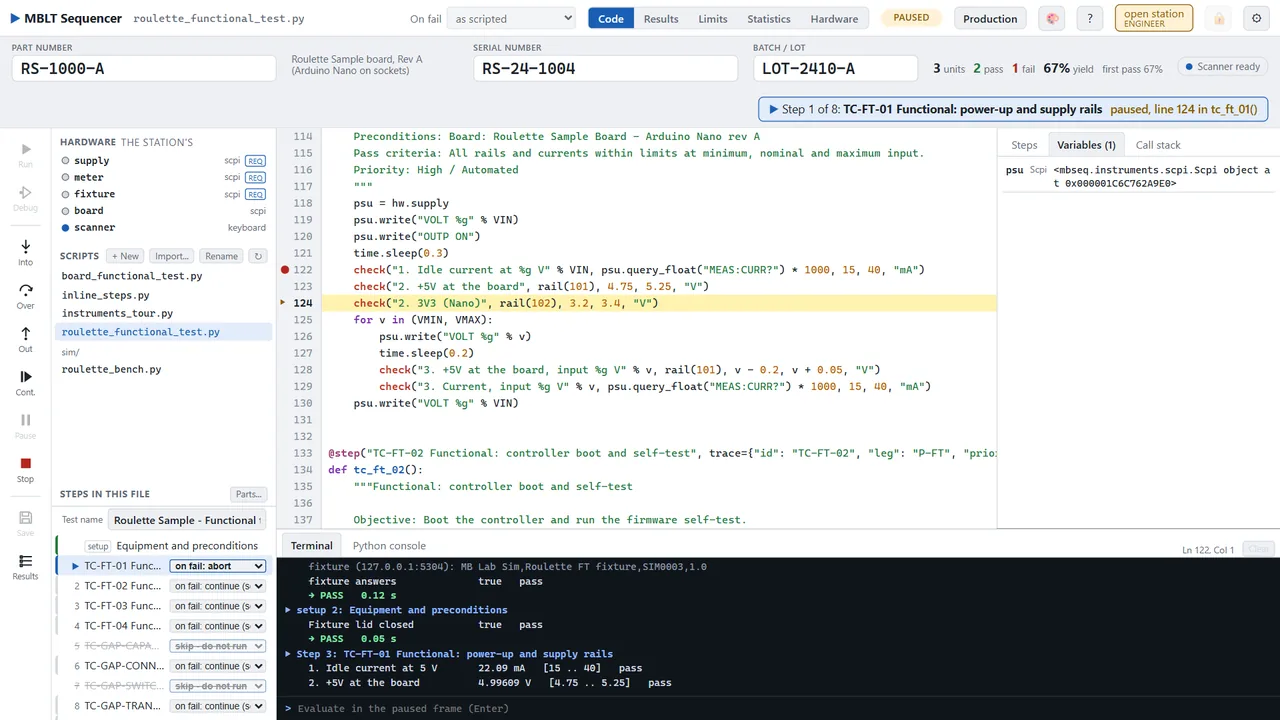
- An IDE with a real debugger - breakpoints, step into, over and out, the paused frame's variables and call stack, and a line typed into the terminal evaluated where it is paused
- Imports the test documentation: a Test Spec Ecosystem trace model, a tspec-proposals/1 file or a Kiwi TCMS export comes in as flows, legs and test cases, and the sequence it writes carries each case's id back into every result and report
- The station's instruments defined once on a Hardware page - VISA, SCPI over a socket, serial, Modbus TCP and RTU, the HardwareRTD engine's pipe or its share, SignalScope, MBLT PLC and MBLT HMI tags - so the same script runs on another bench unchanged
- Limits from the plan rather than the code, with Cp, Cpk, a histogram and a fitted curve across a batch, and plus or minus k sigma offered as the next limit
- A production screen with nothing to change by mistake, barcode scanning anywhere on the page, parts, batches and first-pass yield, and users at three levels with an audit trail
- Reports by itself at the end of every test - JSON, CSV, HTML, Excel, Word and PDF in the same title block as the test documentation, plus a row per test and per measurement into SQLite or any ODBC database
- Driven from elsewhere: SCPI on port 5241 the way a bench instrument is, a Python client and CLI that exits 0, 1, 2 or 3 for pass, fail, error or aborted, and an MCP server so an AI agent can run the test and read the verdict
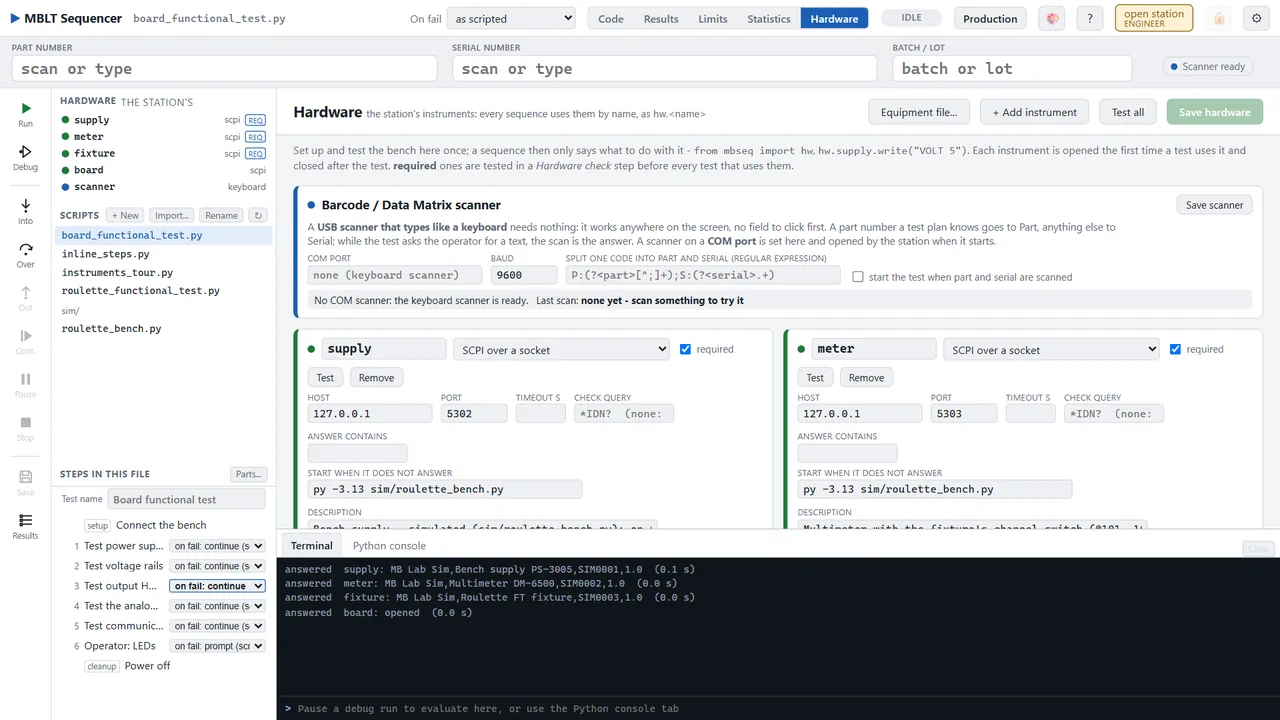

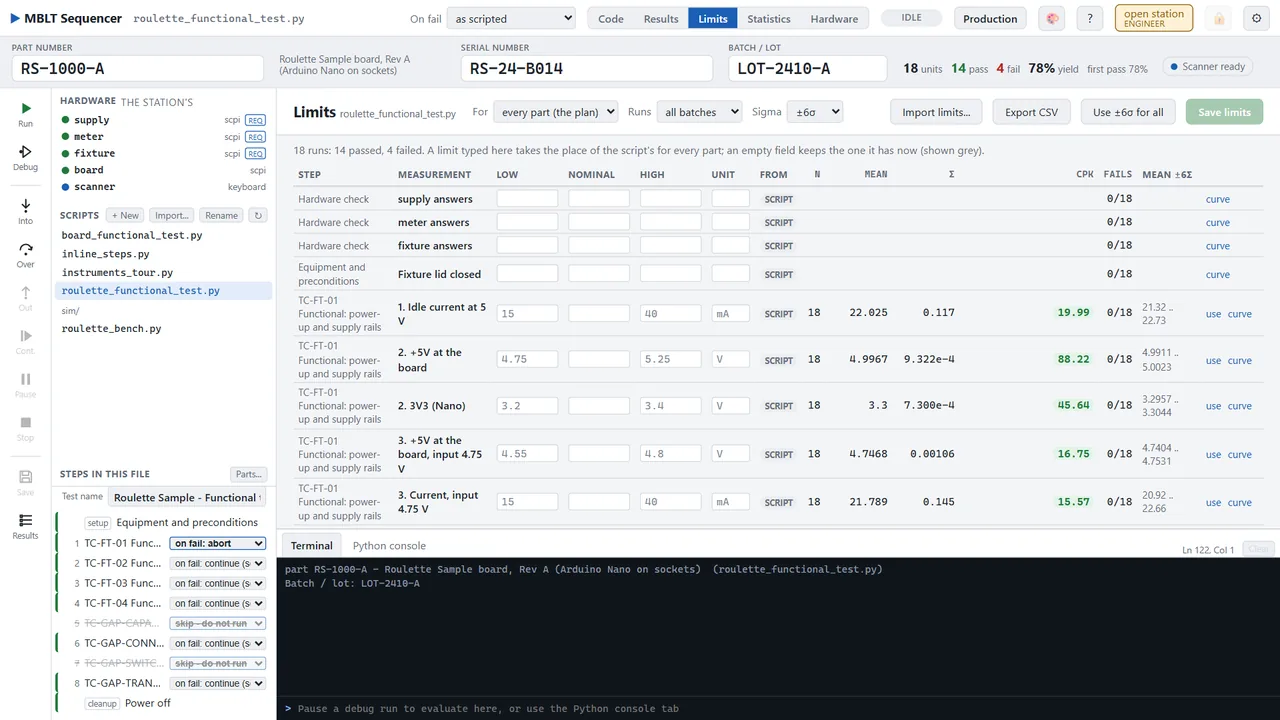
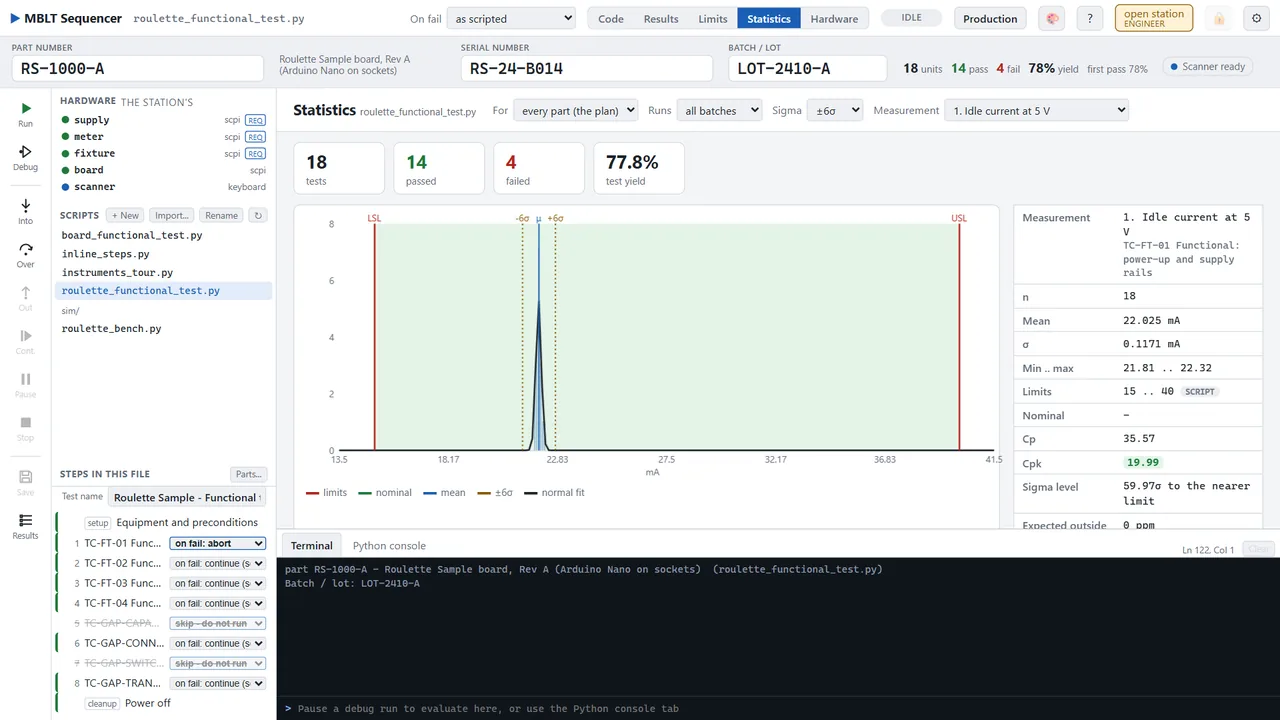
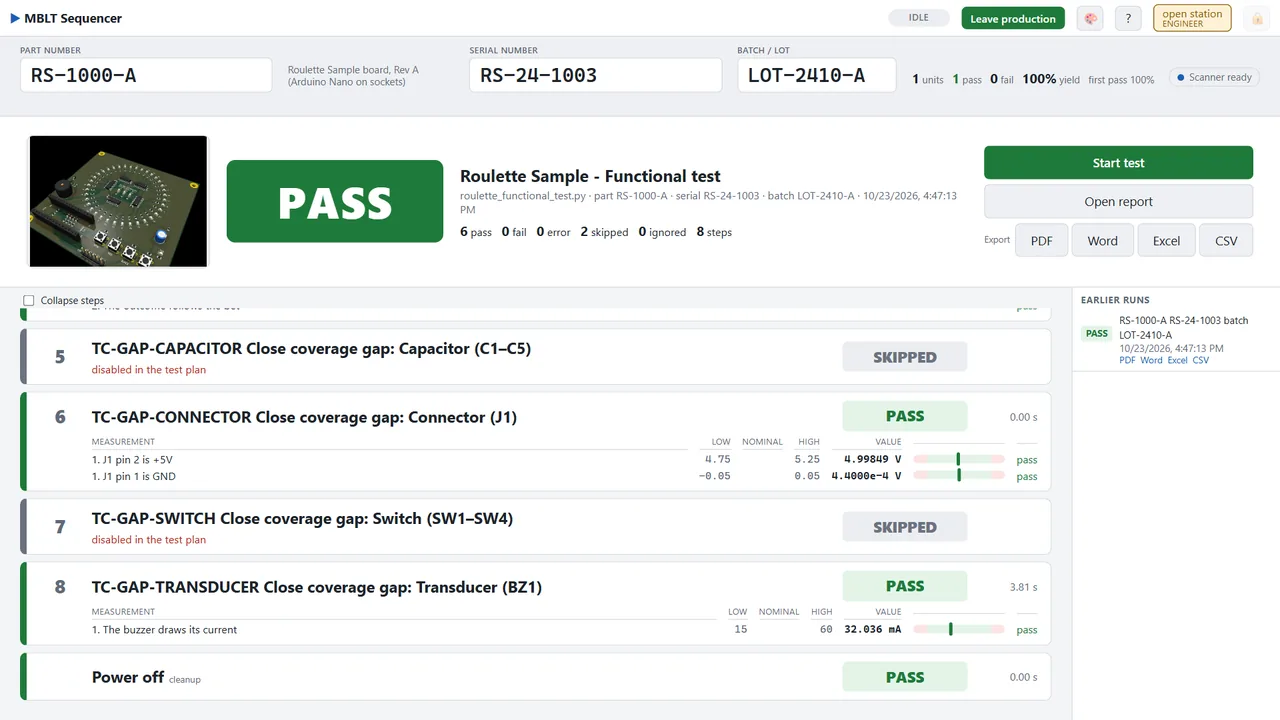
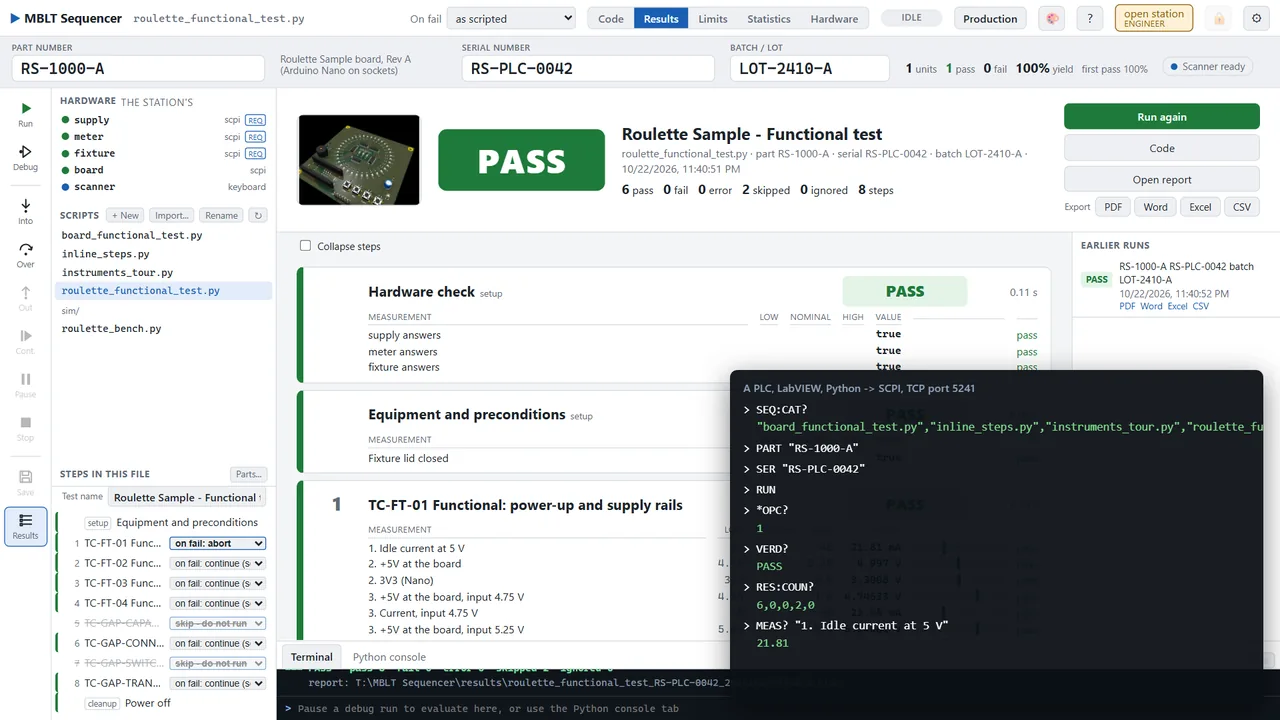
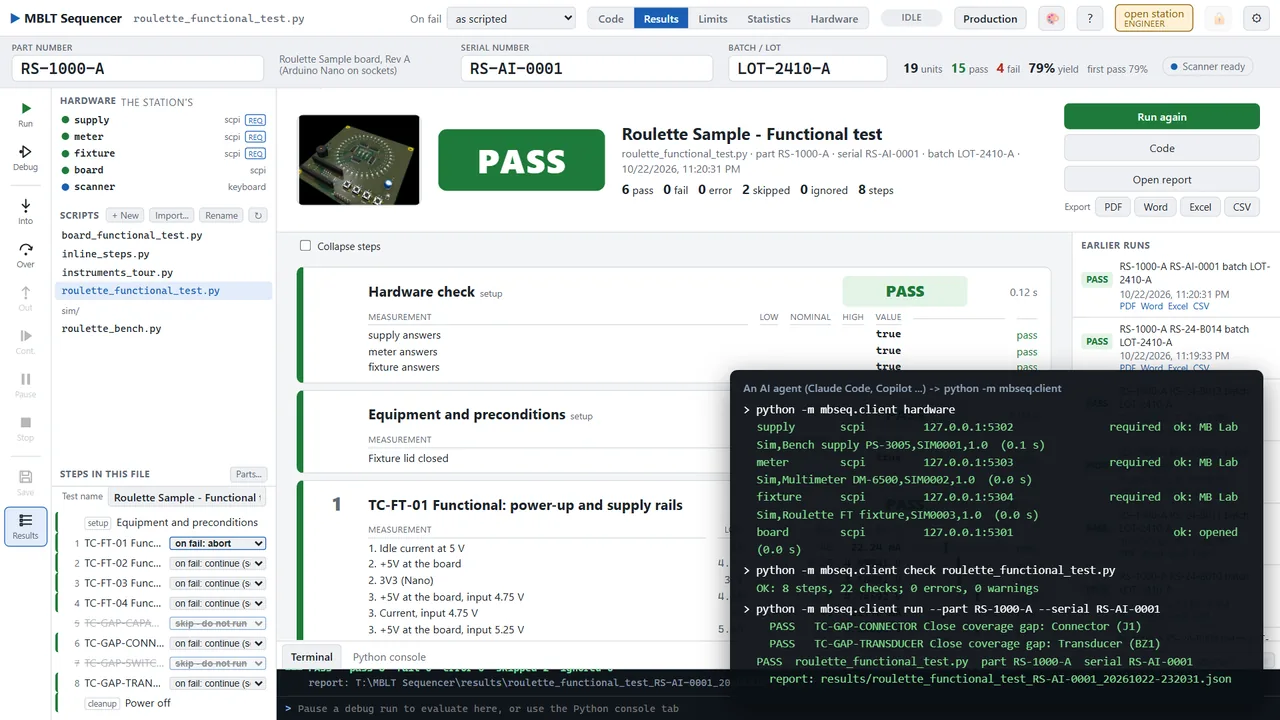


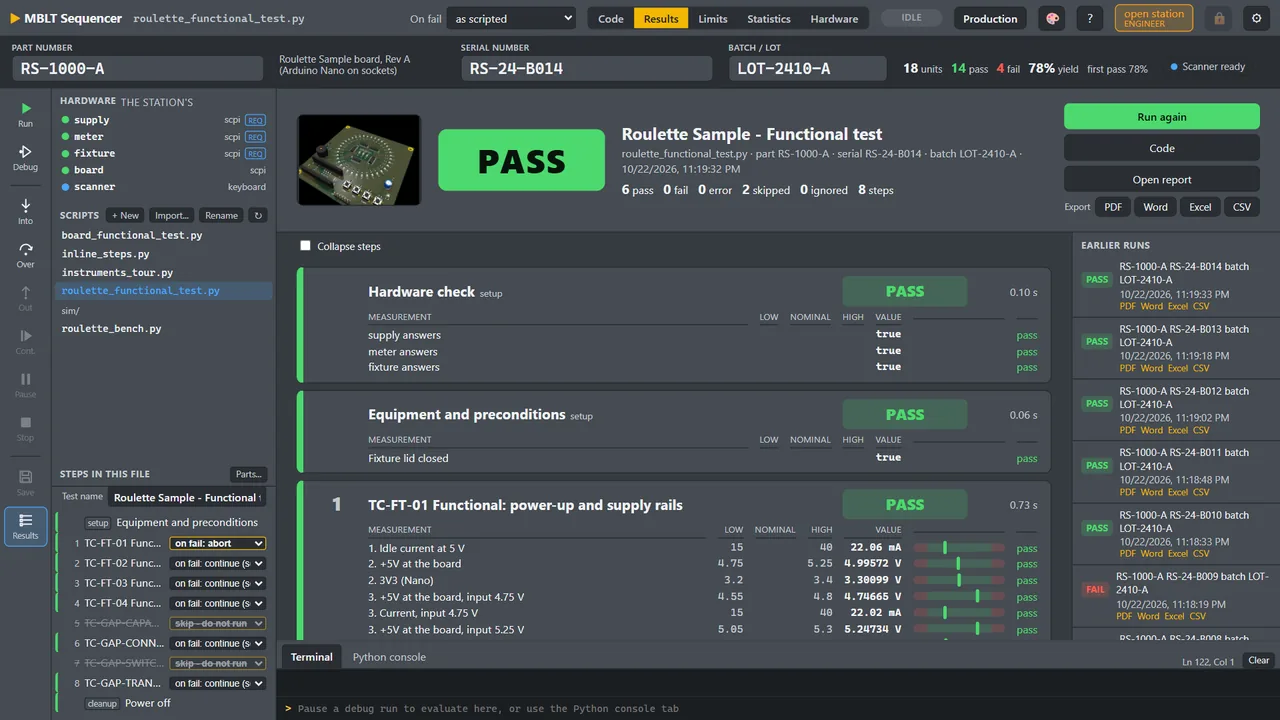
Worth knowingIt needs Python 3.13 from python.org - it is the one application here whose runtime is not inside the package, because the sequences are Python and run in it. Install.bat says so and install-python-deps.cmd adds the instrument libraries. A station with no users is open and says so in the top bar; adding the first Engineer locks it.
On video
Ten recordings of it actually running.
Screens of a program that moves are only half of it, so here it is moving. All of it is the real application on a real station, recorded by its own tool rather than reconstructed - the Roulette Sample board's functional test on the simulated bench it ships with, except for one clip, which is a real Arduino on a COM port. Nothing plays until you press it.
Get in touch
Requirements
- Windows 10 or 11, 64-bit
- About 200 MB of disk
- No .NET install needed — the runtime is bundled
- No Excel needed — workbooks are written directly
Also in the set