Software — pcbtest
PCB Test Analysis
Will this board be testable before you cut the fixture?
Available 1.4.2
pcbtest — command line and desktop app
What it does
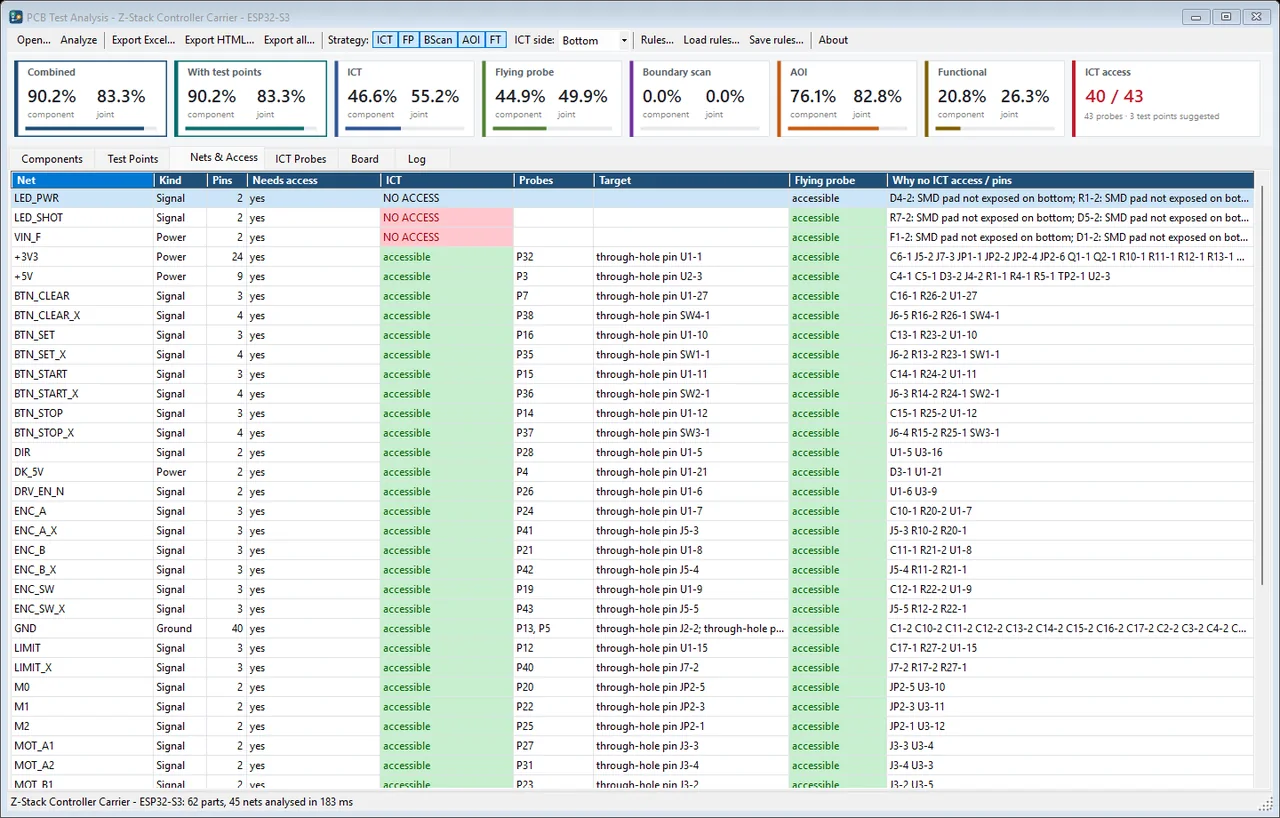
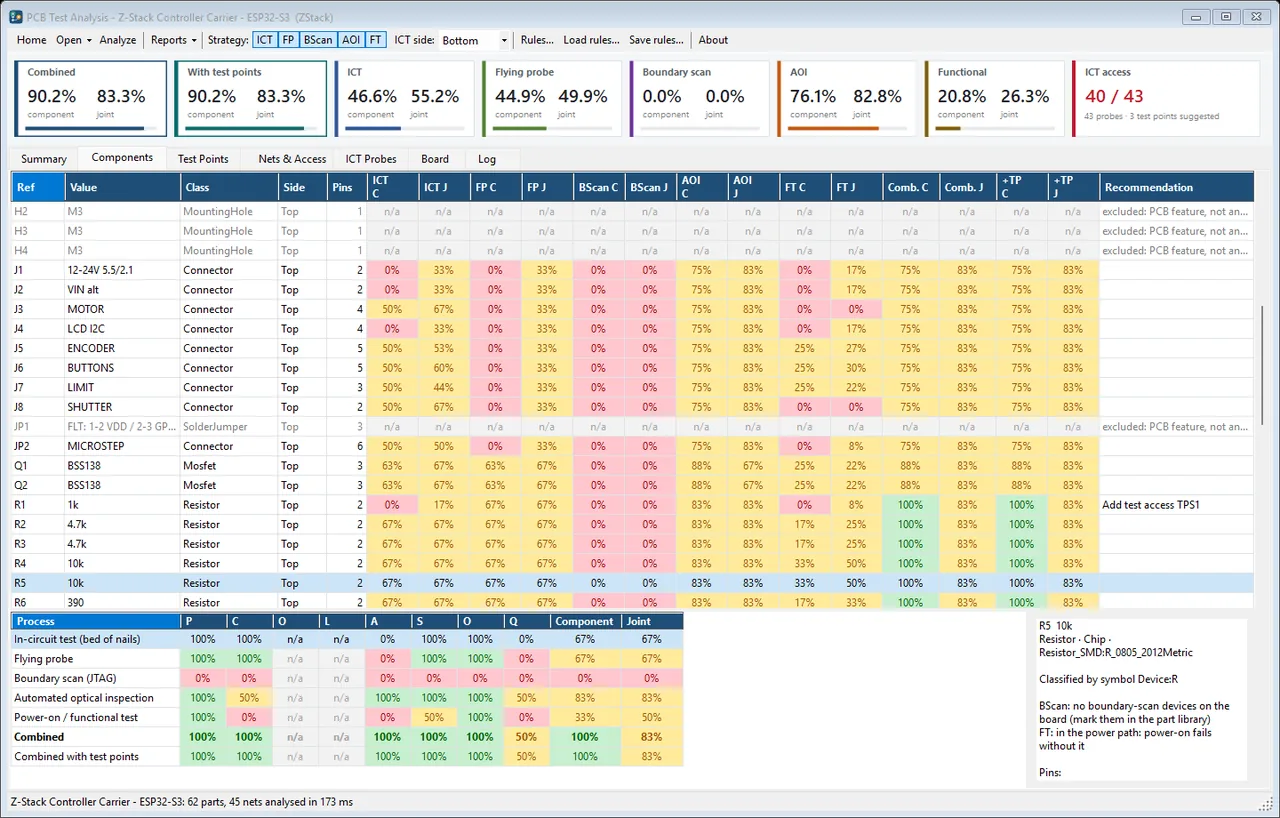
Reads the schematic netlist and the layout, works out where a fixture probe can land on every net, suggests test points where one cannot, and estimates test coverage for each component in each test process. The Excel export has one row per component.
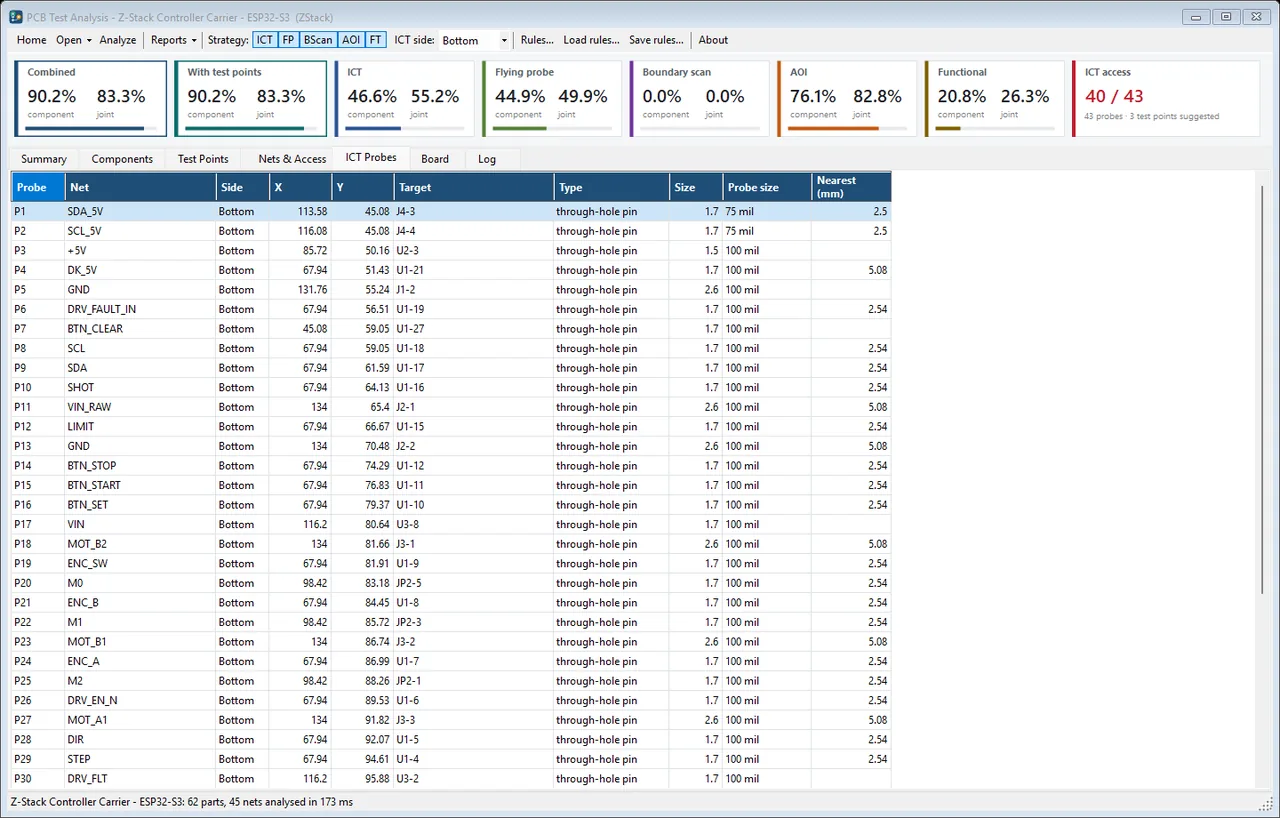
- Probe access per net, against your own fixture design rules
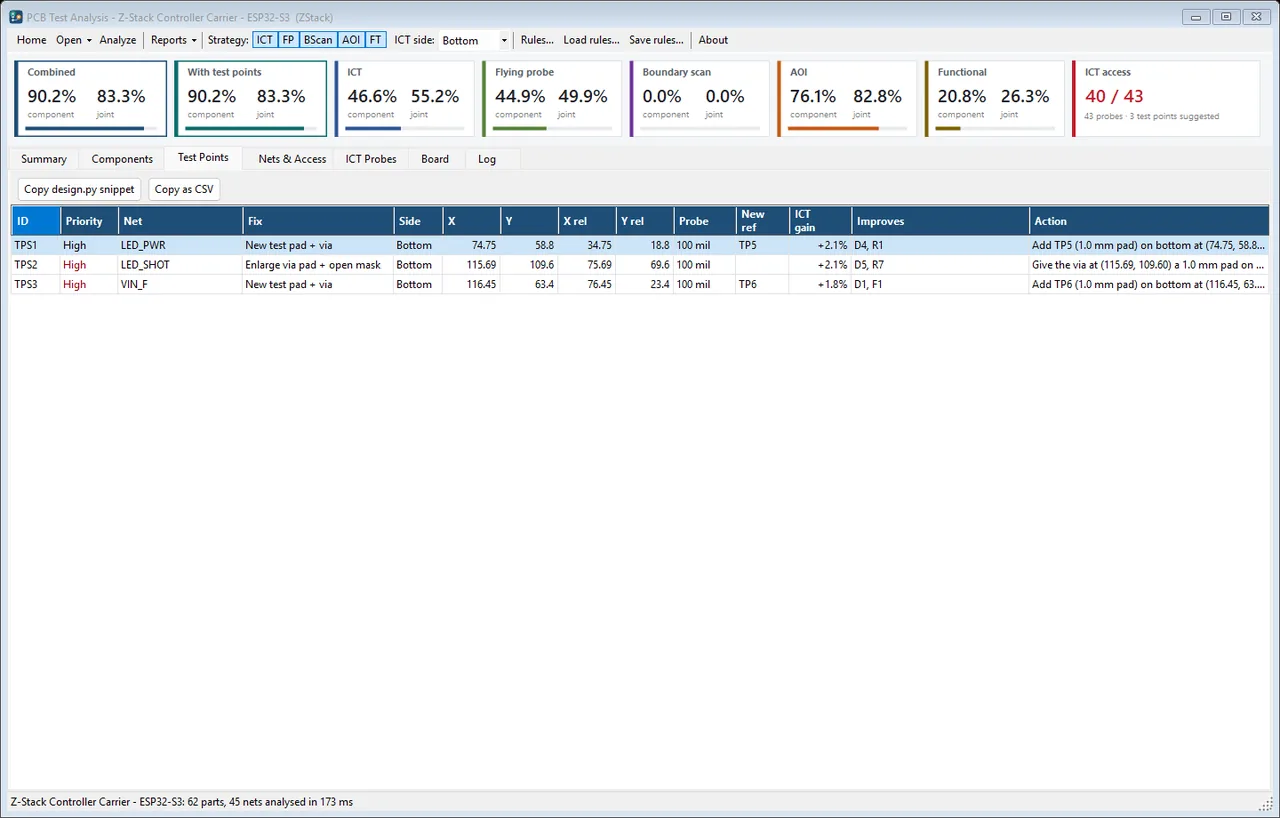
- Suggested test points where no probe can currently land
- Per-component coverage for ICT, flying probe, boundary scan, AOI and functional test, scored PCOLA/SOQ
- Reads KiCad, and Altium, Eagle, PADS and CADSTAR - plus IPC-D-356 netlists and a BOM when that is all there is
- Boundary-scan coverage from the BSDL files of the JTAG devices in your part library
- One Excel workbook with fifteen sheets, not one table: component coverage, PCOLA/SOQ detail across every process, net access, test points, ICT probes, the AOI list, a design snippet, and five fixture sheets - plates, push rods and forces
- Fixture plate files, per plate, on one datum - a clean machining DXF, a dimensioned drawing in DXF and SVG, an Excellon drill file, hole centres as CSV and XYZ, a probe list with the net and target of every pin, the plate as a KiCad board, and a STEP model of it for the mechanical assembly (the STEP is exported through kicad-cli, so that one needs KiCad installed; the rest are written natively)
- A paste-ready design.py snippet, so the suggested test points go back into the layout instead of into a meeting
- A component list in AOI Inspector's own import format, so the optical inspection starts from the same board
- A self-contained HTML report, and batch runs across every board in a folder
- Runs as a release gate in a build script, with an exit code

On video
One recording of it actually running.
A screenshot of a program that moves is only half of it, so here it is moving. Recorded off the screen while it ran on this bench - its own window, its own example project, nothing staged. One line of the toolbar, holding a path on this machine, is blurred; nothing else is altered. Nothing plays until you press it.
Get in touch
Requirements
- Windows 10 or 11, 64-bit
- About 200 MB of disk
- No .NET install needed — the runtime is bundled
- No Excel needed — workbooks are written directly
Also in the set