Software — mbvision
MB Lab Vision
Measuring with a camera, driven like an instrument.
Early release 0.11.0
mbvision — command line and desktop app
What it does
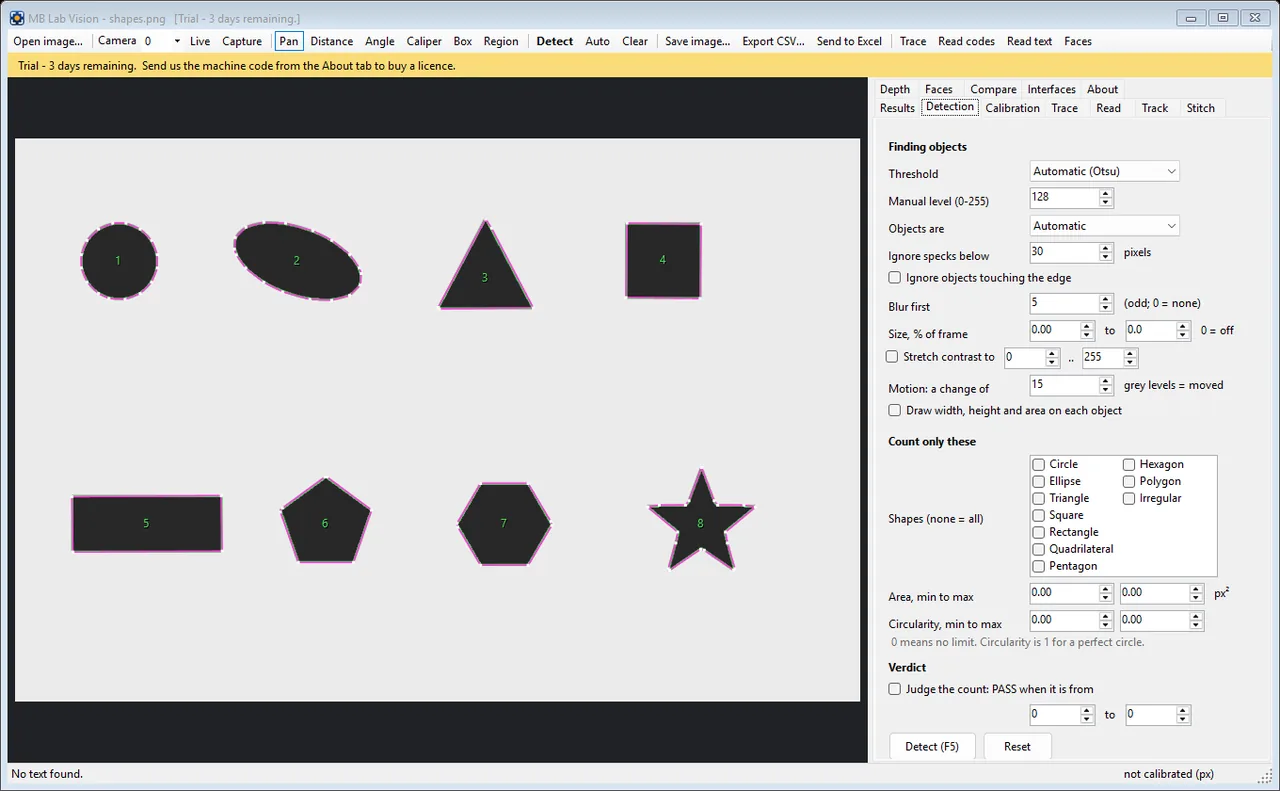
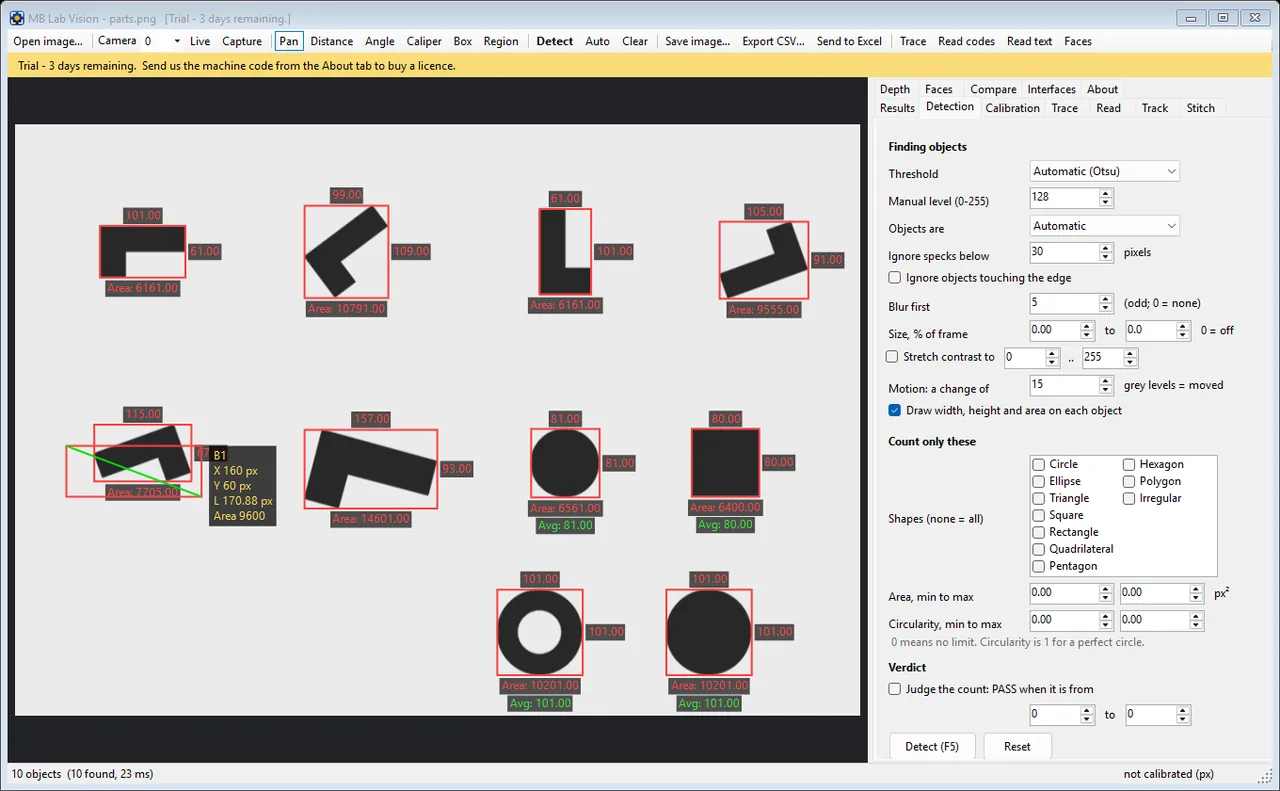
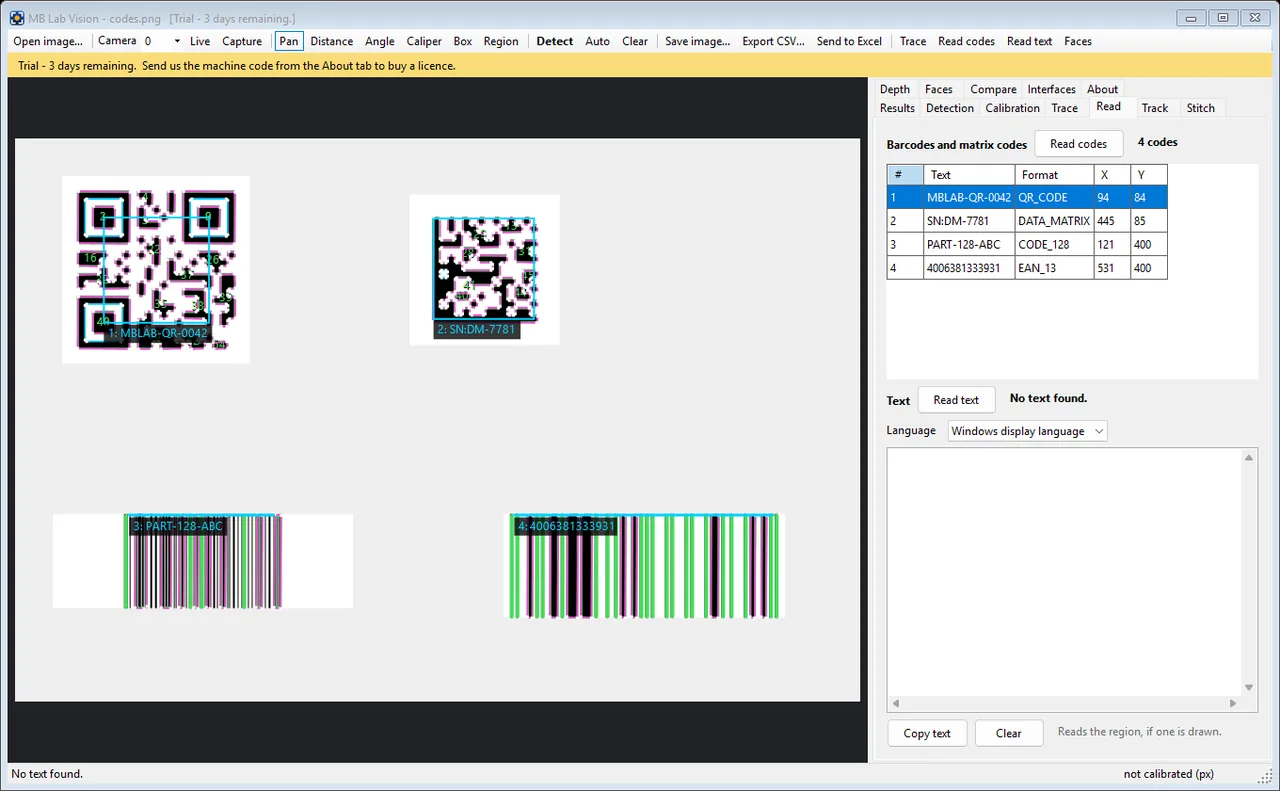
Distances, angles and edge-to-edge calipers; counting and shape recognition; tracing an outline to SVG or DXF; reading barcodes, matrix codes and printed text; following a moving object; stitching overlapping pictures into one; depth maps. From a camera, a still or a video file - by hand in the window, from the command line, or over SCPI from a sequencer, a workbook or another computer.
- Calipers, angles and edge-to-edge distances, calibrated against a known reference
- Counting and shape recognition - including counting the parts that match a DXF or SVG drawing
- Tracing an outline out to SVG or DXF, so a measured part becomes a drawing
- Barcodes, data matrix codes and printed text, through ZXing and the recogniser built into Windows
- Motion targeting, two-camera triangulation and depth maps
- Stitching overlapping pictures into one larger image
- Answers SCPI three ways - TCP 5027, a serial port and an HTTP bridge on 5028 - the same profile AOI Inspector follows, so one sequencer drives both
- Sends SCPI outwards too, over a serial port or a socket, so a verdict reaches an Arduino, a PLC or an instrument as a templated PASS, FAIL or ERROR message
- Takes a barcode or DataMatrix scanner on serial or TCP - the scanned code becomes the part's serial number, and a scanned line beginning with : or * is obeyed as a SCPI command
- Writes a CSV log after every count, and can push results straight into a named worksheet
Worth knowingVersion 0.11.0, and deliberately not 1.0: every feature in the specification is built and passes its tests, but it has not yet been put in front of real hardware, and the package is not code-signed. Its README has a section saying exactly what has and has not been proved.
On video
One recording of it actually running.
A screenshot of a program that moves is only half of it, so here it is moving. Recorded off the screen while it ran on this bench - its own window, its own example project, nothing staged. The file dialog's folder list and path, which belong to this machine, are blurred; nothing else is altered. Nothing plays until you press it.
Get in touch
Requirements
- Windows 10 or 11, 64-bit
- About 200 MB of disk
- No .NET install needed — the runtime is bundled
- No Excel needed — workbooks are written directly
Also in the set